
Avatar Maker Dress up for kids
Pazu GamesEducational
3.32.59K Reviews
- Version
- 1.13
- Installs
- 50.00M
- Age Rating
- Everyone
Screenshots
Our Review of Avatar Maker Dress up for kids
 Analysis by Appyee
I’d treat Avatar Maker Dress Up for Kids as a creative toy rather than a full game with goals to beat. Its appeal is the chance to shape a character, try out looks and imagine a little world around that character. That makes it an easy pick for a child who enjoys drawing, costumes or pretend play, and a less obvious fit for someone looking for puzzles, action or structured lessons.
The key question is what kind of screen time you want. If you want a child to make choices and invent a character at their own pace, this educational game has a clear purpose. If you want a game that teaches a specific school subject or offers a sequence of challenges, I’d look elsewhere. The creative activity may encourage storytelling and visual decision-making, but I wouldn’t mistake that for formal instruction.
Who will get the most from it
I can see it working especially well for a short, low-pressure play session: a child picks a character, experiments with an outfit, then explains who the character is and where they are going. That last step is a useful way for a parent to turn dress-up into shared pretend play without taking over. Asking “What would your character wear on a rainy day?” or “Where are they headed?” gives the activity a little direction while leaving the choices to the child.
It may also suit siblings or friends who like making characters side by side, provided they are happy to take turns and compare ideas rather than compete for a score. The main reward is the process of choosing and combining, so children who enjoy open-ended play are likely to stay interested longer than those who need clear tasks or a visible sense of progress.
A practical way to use the creative tools
One small workflow I recommend is to set a theme before opening the wardrobe. Pick a situation—a party, a trip outdoors, or an imaginary space adventure—then build an outfit around it. This gives the choices a purpose and can make a broad selection feel less overwhelming. Afterward, ask the child to tell you one detail about the character that is not visible in the outfit. That turns a styling session into a short storytelling exercise without requiring extra materials.
Another useful approach is to make two contrasting versions of the same character: one for a quiet day and one for a special occasion. Comparing the looks encourages children to notice how colors, accessories and clothing change the mood they are trying to create. I’d keep the activity playful, though; the value is in experimenting, not in getting a “correct” fashion answer.
Getting Started with Your Avatar
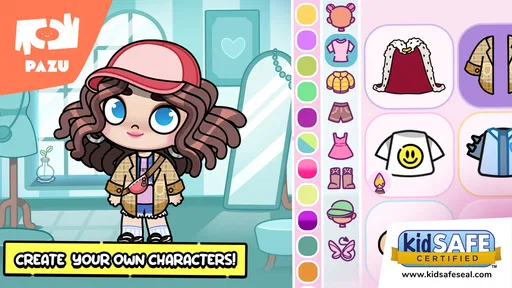
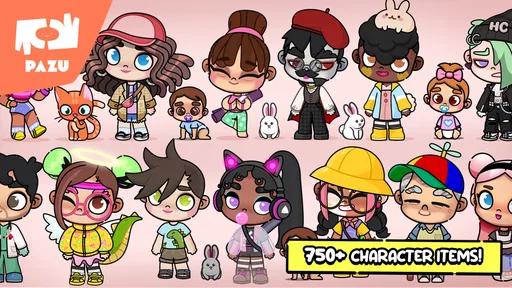
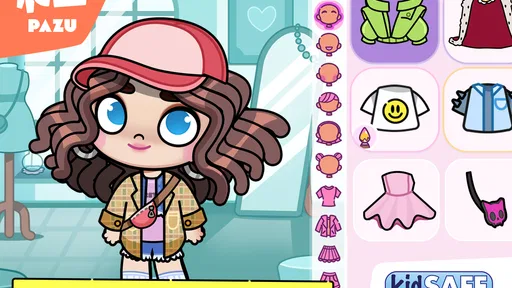
The first thing you’ll do in Avatar Maker Dress Up for Kids is create your avatar. This is where the fun begins. The app gives you a delightful array of customization options, making it easy to create a character that’s truly your own. From different skin tones to hairstyles, you can personalize every detail. I spent a good chunk of time just playing around with all the hair colors – because why not have neon green hair?
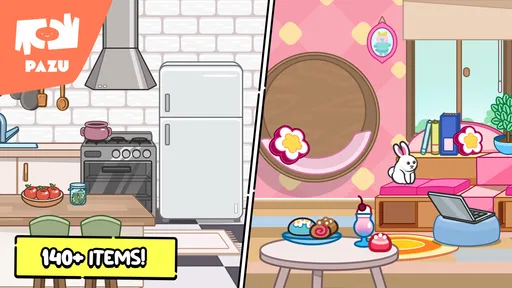
Once you’ve nailed the basics, it’s time to dive into the wardrobe. The app boasts a huge selection of clothes and accessories. Everything from casual jeans to fancy dresses is at your fingertips. And the best part? You can mix and match to your heart’s content. I found myself channeling my inner stylist, pairing outfits I’d never dare to in real life. The freedom to experiment is endless.
Exploring the Fashion World
One of the coolest features of this app is the themed collections. Whether it’s a winter wonderland or a tropical getaway, these collections add a fun twist to the dressing-up experience. I found myself gravitating towards the space-themed outfits – who knew a space helmet could be so chic?
The accessories section also deserves a special mention. From sunglasses to handbags, the variety is mind-boggling. I couldn’t help but chuckle as I tried on oversized sunglasses with a cowboy hat – it’s all part of the fun!
User Experience and Interface
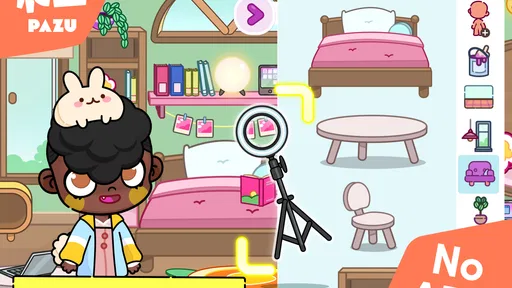
Let’s talk about the user interface. It’s intuitive and kid-friendly. The bright colors and playful design make it super appealing. Even if you’re not tech-savvy, you’ll find navigating the app a breeze. It’s designed to be accessible for kids, and I appreciated how straightforward everything was.
One thing that stood out to me was the lack of intrusive ads. I know how frustrating it can be when you’re right in the middle of designing an outfit, and bam – an ad pops up. Thankfully, Avatar Maker Dress Up for Kids keeps the interruptions to a minimum, allowing for a seamless experience.
What to expect from the free version
The game is free to download, which makes it easy to try before deciding whether it belongs in a child’s regular rotation. It includes in-app purchases, with items ranging from $6.49 to $59.99, so I’d make the purchase settings part of the setup conversation. A child may enjoy the dress-up activity without needing to buy anything; if a purchase prompt appears, an adult can decide whether an item is worth paying for rather than treating it as a necessary step.
This is also where the app’s open-ended design can be a trade-off. A child who likes trying combinations may be content to revisit the same creative routine, while another may quickly want more variety or a new goal. I would start with a short trial session and watch whether the child enjoys making choices on their own. That is a better guide to its staying power than assuming that a large wardrobe will suit every player.
Choosing between dress-up and other games
Compared with fashion games built around timed challenges, scores or makeover tasks, this is a gentler choice for children who want to control the pace. It also differs from drawing apps: the focus here is arranging a character’s appearance rather than making an image from a blank page. For a child who wants to sketch freely, a drawing app is the more direct fit. For one who enjoys selecting a look and inventing a persona, this format has the advantage of giving the imagination a ready-made starting point.
It is not the choice I’d make for a child who needs a clear progression system to stay engaged, or for a parent specifically seeking a structured learning course. Nor would I choose it as a substitute for hands-on art when the goal is practicing pencil control or drawing. Its strength is narrower and more useful for that: it offers a simple space for visual play and make-believe.
Creativity Unleashed
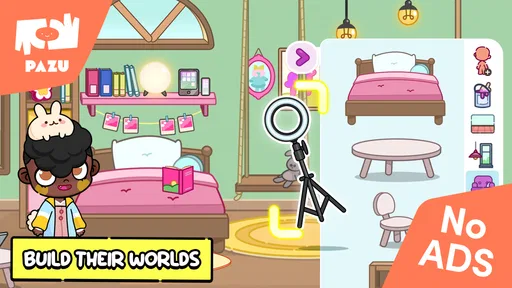
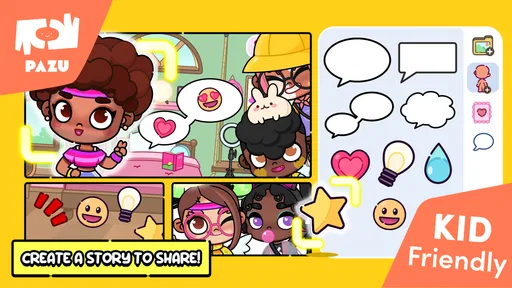
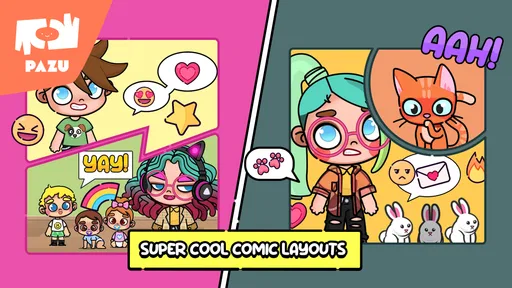
This app isn’t just about dressing up; it’s about creativity and self-expression. It encourages kids to think outside the box, experiment with styles, and even create stories around their avatars. I found myself inventing backstories for my characters, imagining where they’d wear their outfits. It’s a great way to engage the imagination and spend some quality screen time.
Parents will be pleased to know that the app is safe for children. There’s no inappropriate content, and the focus is purely on fashion and fun. It’s a win-win situation for everyone involved.
Age, device fit and expectations
The game is rated Everyone and requires Android 6.0 or later, which gives families a practical compatibility check before installing it on an older device. Pazu Games is the developer, and the game has a 3.0 average from around 117,000 ratings, alongside roughly 2,500 written reviews. It has passed 10 million installs, so it is widely used, but that reach does not guarantee it will suit a particular child; the best test is whether they enjoy open-ended avatar play.
Its current version is 1.12. I’d still let a child try it with an adult nearby at first, not because the activity needs constant supervision, but because a quick look together helps set expectations about purchases and screen time. If a child asks to keep playing, a natural stopping point is finishing one character or one themed outfit rather than promising to complete an endless collection.
When I’d choose something else
I’d skip this if the main aim is a game with levels, a competitive challenge, or a clear educational curriculum. It is also a weaker match for a child who becomes frustrated when there is no single “right” outcome. In those cases, a puzzle game with defined tasks, a guided learning app, or a drawing tool may provide a better sense of direction.
For a child who loves costumes but tires of choosing from menus, an offline activity such as dressing up toys or drawing outfits on paper may be more satisfying. Those options are not direct replacements for the avatar experience, but they avoid the screen and let a child use physical materials. I see this game as one option in a mix of creative activities, not something that needs to occupy every quiet moment.
Final Thoughts
In a world where digital entertainment is abundant, Avatar Maker Dress Up for Kids stands out as a beacon of creativity and fun. It’s an app that not only entertains but educates, allowing kids to explore and express their individual style. Whether you’re a parent looking for a safe app for your child or someone who just wants to relive the joy of dressing up, this app is a fantastic choice.
So, if you’re ready to unleash your fashionista side, give it a spin. You might just find yourself getting lost in a world of colors, styles, and endless possibilities. Happy styling!
My recommendation is to try it when a child has a little unhurried time and wants to build a character rather than chase a score. Keep purchases in mind, offer a theme if the choices feel sprawling, and let the child decide what the outfit says about their avatar. If that kind of imaginative play is already a favorite, this is an easy game to sample; if they need goals, lessons or drawing tools, another category will serve them better.
Privacy and Permissions
See what permissions an app requests and how it handles your data.
- Photos/Media/Files
- read the contents of your USB storage, modify or delete the contents of your USB storage
- Storage
- read the contents of your USB storage, modify or delete the contents of your USB storage
- Other
- view network connections, full network access, Google Play license check, read Google service configuration
Verdict
Strengths of Avatar Maker Dress up for kids
- User-friendly interface for children.
- Wide variety of customization options.
- Encourages creativity and self-expression.
- Regular updates with new content.
- No in-app purchases or ads.
Limitations of Avatar Maker Dress up for kids
- Limited to basic avatar styles.
- No multiplayer or social features.
- Requires internet for certain features.
- Occasional lag on older devices.
- Lacks educational content integration.
Other Releases by Pazu Games
View All
Avatar World ®
Role Playing4.7

Sushi Maker Kids Cooking Games
Role Playing4.7

Baby care game & Dress up
Educational4.4

Girls Nail Salon - Kids Games
Educational4.5
Similar Picks in This Category
View All
Little Panda Policeman
BabyBus4.0

Monster Trucks Game for Kids 2
Raz Games4.1

Little Panda's Chinese Recipes
BabyBus4.4

Little Panda's Restaurant
BabyBus4.4

Little Panda's Ice Cream Games
BabyBus4.3

Baby Panda Care
BabyBus3.8
Frequently Asked Questions
What age group is Avatar Maker Dress up for kids suitable for?
Avatar Maker Dress up for kids is designed for children aged 4 and up. The app features a user-friendly interface and engaging graphics that appeal to young users. It encourages creativity and self-expression by allowing kids to design and dress up their avatars in a fun and interactive way.
Does Avatar Maker Dress up for kids require an internet connection to function?
No, Avatar Maker Dress up for kids can be used offline. Once downloaded, all features of the app are accessible without the need for an internet connection, making it a perfect option for kids to play during travel or in areas with limited connectivity.
Are there in-app purchases in Avatar Maker Dress up for kids?
Yes, while Avatar Maker Dress up for kids is free to download, it offers in-app purchases. These purchases provide access to additional clothing items, accessories, and customization options. Parents can control or disable in-app purchases through their device's settings to prevent unauthorized transactions.
Is Avatar Maker Dress up for kids safe for children to use?
Yes, the app is designed with child safety in mind. It does not contain any inappropriate content and complies with privacy regulations to ensure a safe environment. Parental controls can also be set to manage and monitor the app's usage by children.
Can avatars created in Avatar Maker Dress up for kids be shared?
Yes, avatars can be shared with friends and family. The app provides options to save creations to the device's gallery or share them via social media platforms or messaging apps. However, parental guidance is recommended to ensure safe sharing practices.
Play our best games!


